The token system is a way for players to add stats to items they want. Players either craft or are given a token to add to an item. If this system is enabled, all tools/armor will only track statistics once a token is applied to it. There are different tokens for different statistics.
However, origin of items will be tracked still. You can disable this in the enabled section of the config.
Warning
The plugin tries it's best to support swapping between each mode. You shouldn't have issues if you enable/disable the token system after using it, but please report any issues to me!
Setup
To enable, set tokens.enabled true in your config. Afterwards, RESTART YOU SERVER!
Obtaining Tokens
Tokens be obtained by being crafted or given via commands. By default, tokens can be crafted. If you want to disable this, set craft-tokens to false in your config. Below are the crafting recipes.
If you want to use commands, you can use /toolstats givetokens <player> <token-type>. You can specify more than one by using /toolstats givetokens <player> <token-type> <amount>. Requires toolstats.givetokens permission.
| Blocks Mined | Player Kills | Mob Kills |
|---|---|---|
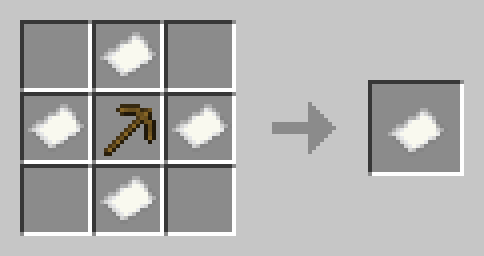 ID: blocks-mined |
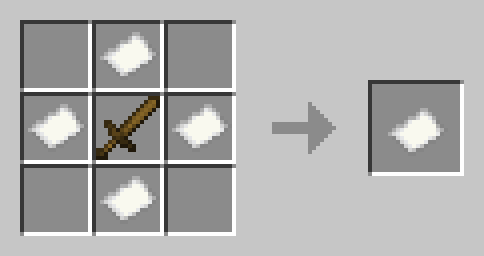 ID: player-kills |
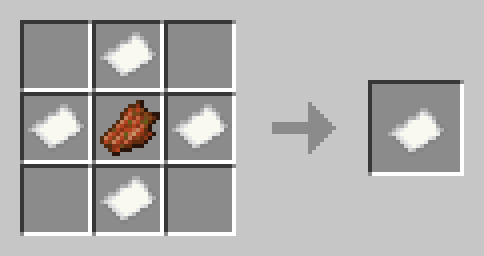 ID: mob-kills |
| Crops Mined | Sheep Sheared | Fish Caught |
|---|---|---|
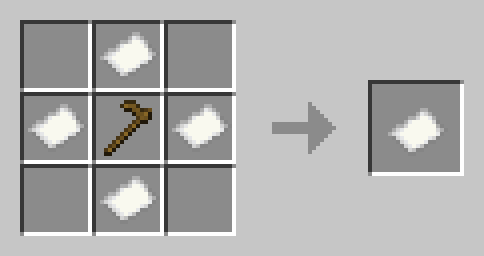 ID: crops-mined |
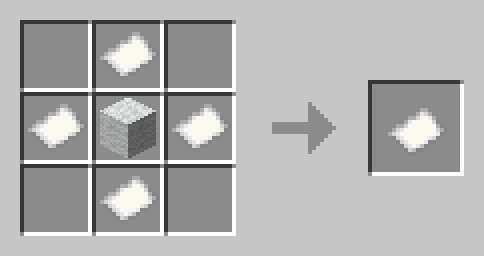 ID: sheep-sheared |
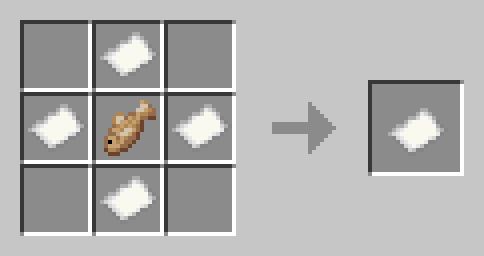 ID: fish-caught |
| Flight Time | Arrows Shot | Damage Taken |
|---|---|---|
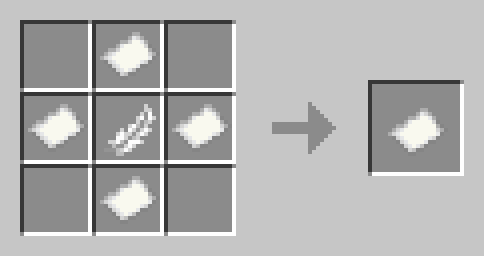 ID: flight-time |
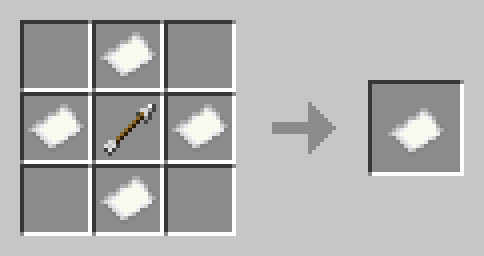 ID: arrows-shot |
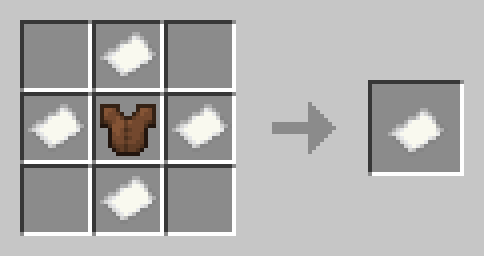 ID: damage-taken |
| Damage Done |
|---|
 ID: damage-done |
Using Tokens
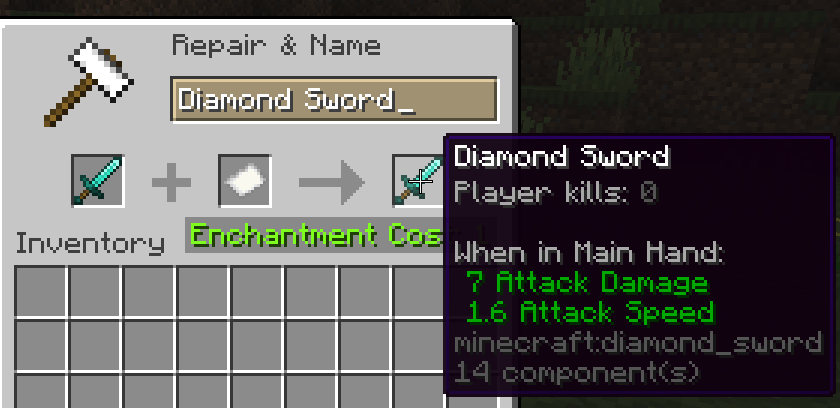
To use a token, simply apply it in an anvil like below. You can configure how many levels it takes for each in the config.
Reset Token
There is a special reset token, which will reset the tracked stats of an item. This does NOT remove the tokens on the item, but sets the values to zero. This also does NOT remove the origin of the item (crafted, traded, etc).
Apply it like any other token.
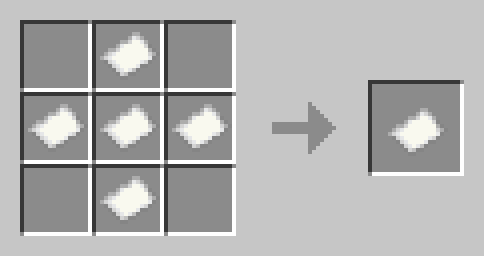
ID: reset
Remove Token
There is a special remove token, which will REMOVE ALL tracked stats of an item. This also does NOT remove the origin of the item (crafted, traded, etc).
Apply it like any other token.

ID: remove